
Deepstash: Smarter Every Day! review
 Analysis by GetAllApps
I think Deepstash makes most sense when you want to explore useful ideas in short bursts, not when you need a full course or a dependable substitute for reading a book. It turns learning into something you can fit between other parts of the day, which is appealing if your attention comes in small pockets. The trade-off is that a brief takeaway can spark interest without giving you enough depth to understand a subject thoroughly.
What to decide before you download it
Start with what you want from an education app. If your aim is to discover concepts, get prompts for reflection, or find a starting point for later reading, this format is a good match. If you need structured lessons, practice exercises, or a complete account of a complex topic, I would look for a course or a book instead. Those tools ask for more time, but they can provide a clearer path from basics to confident understanding.
The app is built around concise pieces of knowledge and book-related ideas, so the central question is whether you enjoy learning through summaries. A short explanation is useful for sampling a topic before committing to it. It is less useful when a decision depends on context, evidence, or details that a compact takeaway may leave out. I treat an idea here as an invitation to investigate, rather than as the final word.
That distinction matters in ordinary use. Say I have ten minutes before an appointment and want something more engaging than scrolling through unrelated posts. A brief learning session can give that time a purpose. But if I am studying for an exam, preparing a professional presentation, or trying to master a difficult skill, I would not rely on quick reads alone. I would use them to identify questions, then turn to a more comprehensive source.
Short sessions are the main advantage
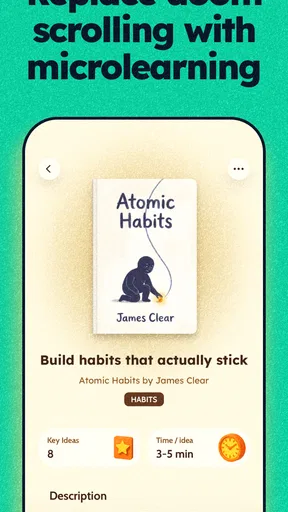
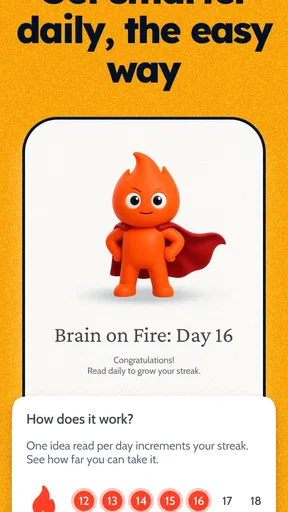
Deepstash is an education app from developer Deepstash, and its focus on bite-sized learning shapes the whole experience. Rather than requiring me to block off a long stretch of time, it suits small gaps in the day. That can make learning feel less like another task to schedule and more like a modest habit I can return to when I have a spare moment.
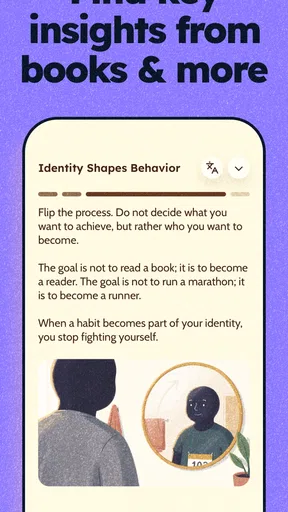
The most useful way to approach that format is with a question in mind. Instead of opening the app expecting it to teach me everything about a broad subject, I might look for an idea that helps me think about focus, creativity, or a personal goal. After reading, I can note what I want to test or learn next. This simple step makes a short item more practical: it connects the idea to a decision or action outside the app.
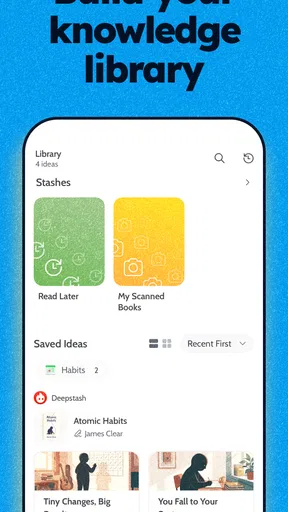
There is also a useful distinction between collecting interesting ideas and applying them. Saving or revisiting a takeaway can help me remember why it caught my attention, but a growing pile of notes is not the same as progress. I get more value when I choose one idea, ask whether it fits my circumstances, and try it in a low-stakes way. That approach keeps the experience from becoming passive consumption.
Where it fits better than familiar alternatives
Compared with browsing general social feeds, a dedicated learning app gives the session a clearer purpose. A feed can be entertaining and may occasionally teach me something, but it is easy to lose the thread and end up several minutes away from what I meant to do. Deepstash is more appealing when I want a small, intentional dose of ideas rather than an unpredictable mix of updates and entertainment.
Compared with podcasts or long-form articles, its short format asks for less uninterrupted attention. That is a genuine advantage during a commute break, while waiting for a meeting, or at the end of a tiring day when a full chapter feels like too much. The reverse is just as important: if I want a sustained argument or a nuanced explanation, a book, article, or longer audio program is usually the better tool. I would use the app to discover what deserves that deeper attention.
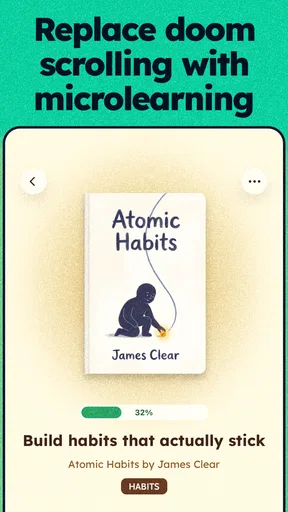
Book summaries occupy a middle ground. They can help me decide whether a book’s central ideas are relevant before I invest time in the complete work. But a summary can flatten the author’s reasoning, examples, and qualifications. I would not assume that a condensed idea captures everything important in the original. For a topic where accuracy and context matter, I would follow the idea back to a fuller source rather than repeat it as settled fact.
This makes the app particularly suitable for curious readers who like sampling themes across different areas. It is less suitable for someone who learns best by solving problems, watching a teacher demonstrate a process, or working through a carefully ordered curriculum. In those cases, a video course, textbook, or hands-on practice tool is more likely to provide the feedback and progression that short ideas cannot.
A practical routine that avoids information overload
One realistic routine is to open the app during a daily pause, choose a single piece that relates to something already on my mind, and finish by writing down one question or action. If I am trying to improve how I plan my work, for example, I can use a short idea as a prompt to review tomorrow’s priorities. I do not need to treat every suggestion as a rule; the point is to test whether it helps in my own situation.
A second approach is to use it as a discovery layer. If an idea about a subject catches my attention, I can mark the topic mentally or in my own notes and then seek a longer explanation elsewhere. This is a useful way to avoid spending hours on books that may not suit my interests, while still recognizing that a short summary is only a preview. It turns the app into a filter for curiosity, not a replacement for research.
I would also keep the session deliberately small. The temptation with any stream of compact content is to keep moving from one item to another because each individual read feels quick. That can create the impression of learning without much retention. Choosing one takeaway and explaining it in my own words is a better test of whether it stuck. If I cannot explain it, I may need more context rather than another summary.
These habits are especially helpful if you are already using other learning resources. A short idea can suggest a topic for a longer podcast, point you toward a book to borrow, or give you a question to bring to a class. Used this way, the app complements deeper study. Used as the only source on a subject, it can encourage confidence that outruns understanding.
What may frustrate you, and when to choose something else
The compact format is also the main limitation. A concise takeaway has little room for competing interpretations, careful sourcing, or the steps behind a conclusion. That does not make short content inherently poor; it means I need to be selective about what I trust it to do. It can help me notice an idea, but I would not use it alone for medical, legal, financial, or other high-stakes decisions.
Another possible friction is that snippets can feel disconnected if I arrive without a topic or learning goal. A collection of appealing ideas is not automatically a structured course. If you prefer a syllabus, milestones, quizzes, or a clear progression from beginner to advanced, this may feel too open-ended. A conventional course platform or a textbook is better when you want to know exactly what comes next and how to check your understanding.
There is a similar trade-off for readers who already have a strong habit of finishing books. Summaries can save time when screening titles, but they may not offer much if you value an author’s full reasoning and storytelling. I would not switch away from reading for the sake of speed. I would use the app only when a quick overview serves a separate purpose, such as deciding which subject deserves a deeper commitment.
It is free to get started, while in-app purchases range from $12.99 to $119.99 per item. That makes it sensible to try the basic experience before deciding whether a paid option is worthwhile for your routine. I would judge the value by whether I return to the app and put its ideas to use, not by how many short pieces I can move through. If you only open it occasionally, spending may not improve the habit you actually have.
Switching is easy; changing your learning habit takes longer
Trying Deepstash does not require you to abandon books, podcasts, or courses. Its best role is often as an extra entry point: a way to make use of brief downtime or to scout a subject before choosing a longer resource. If you already have a reliable system for learning, I would add it only where it fills a genuine gap, such as those awkward few minutes when a full lesson is impractical.
The harder part is deciding what to do with the ideas you encounter. If you move from one learning app to another whenever the novelty fades, you may end up switching formats without learning more. Before making it part of your day, choose a simple purpose: discover subjects, review short takeaways, or find prompts for reflection. That makes it easier to tell whether the app is helping rather than merely occupying spare time.
The app is rated for Everyone, and its current version is 33.1.3. Its average rating is 4.6 from around 201K ratings, with about 5K written reviews and over 5 million installs. Those figures suggest that the short-form approach has found a broad audience, but they cannot tell you whether it matches your preferred learning style. I would use your own first few sessions to make that decision.
My recommendation
Deepstash is worth trying if you want a low-friction way to encounter ideas in short sessions. I would recommend it to curious people who enjoy summaries, want prompts for reflection, or need a useful alternative to aimless scrolling during small breaks. It is particularly effective as a starting point: one concise idea can help you decide what to read, question, or try next.
I would skip it as a primary learning tool if you need a complete course, rigorous practice, or detailed coverage of a subject. In those situations, a textbook, class, or long-form resource will serve you better. For everyone else, the free entry point makes it reasonable to see whether the format fits, while the paid options are best considered only after you know you will use it consistently.
My overall view is that Deepstash works best when I treat it as a small spark, not a shortcut to expertise. Keep one idea, connect it to a real question, and follow up when the subject deserves more depth. If that is the kind of learning you want, this education app can make otherwise empty moments feel more purposeful without demanding a major change to your routine.
Pros and cons
Pros
- A clean interface makes browsing ideas feel quick and straightforward.
- Personalized recommendations help surface topics that match your interests.
- Short reads fit easily into spare moments during the day.
- Saving ideas makes it easy to revisit useful insights later.
- A broad range of topics offers something for different interests.
Cons
- Some content is available only with a paid subscription.
- The quality and depth of ideas can vary between posts.
- Frequent reminders may feel distracting to some users.
- Recommendations may become repetitive if your interests are narrow.
- Short summaries may lack the context found in full-length sources.


